
Mobile App Versioning Best Practices: How to Set Version and Build Numbers the Right Way
When managing a mobile or web application, maintaining a clear versioning system is crucial to ensuring smooth development and release cycles. Proper versioning helps teams track progress, manage updates efficiently, and communicate changes transparently to users and stakeholders.
Following Mobile App Versioning Best Practices ensures every release — from a small patch to a major update — is structured, traceable, and consistent across Android, iOS, and web platforms. It minimizes confusion, improves collaboration between developers and QA teams, and helps maintain a professional release history that users can trust.
In this post, we'll break down how to set version numbers for mobile apps, when to update major, minor, and patch versions, and how build numbers fit into the release process — all with a focus on Mobile App Versioning Best Practices followed by leading development teams around the world.
Understanding (Mobile/Web) App Versioning
Every application — whether mobile or web — carries a version number that follows a simple but powerful format:
MAJOR.MINOR.PATCH
For example:1.3.4 = Major version 1, Minor version 3, Patch version 4.
This method, known as Semantic Versioning, is the foundation of modern versioning for mobile apps and web apps alike.
Here's what each part means:
| Segment | When to Update | What It Indicates |
|---|---|---|
| MAJOR | When you make breaking changes | The app has changed significantly and may not be backward compatible. |
| MINOR | When you add new features | Enhancements or modules added that don't break existing functionality. |
| PATCH | When you fix bugs or make small improvements | Stability, performance, or minor UI fixes. |
When to Update Each Version
1. Major Version
Bump the major version when your mobile or web app undergoes a big shift — such as:
- A redesign or new architecture.
- Breaking API or backend changes.
- A major new phase of the product.
Example:
1.9.8 → 2.0.0
This tells users and teams that the app has reached a new generation.
2. Minor Version
Increase the minor version when:
- You release a new feature or enhancement.
- You add optional modules or UI updates.
- You make forward-compatible improvements.
Example:
2.0.0 → 2.1.0
This communicates that the mobile app version has improved with new features while maintaining compatibility.
3. Patch Version
Use patch versions for small fixes:
- Bug resolutions.
- Performance tweaks.
- Minor text or design corrections.
Example:
2.1.0 → 2.1.1
Patch versions are crucial in mobile app versioning best practices because they show continuous refinement and stability improvements.
Version and Build Number for App Store Releases
App stores (both Google Play Store and Apple App Store) handle versioning with two identifiers:
Version Number (Display Version):
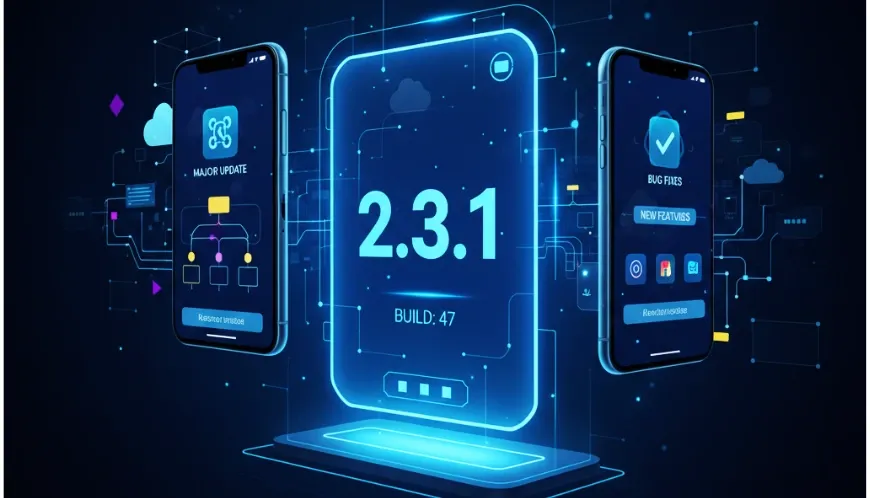
This is what users see — e.g.,2.3.1.
It follows the MAJOR.MINOR.PATCH format.Build Number (Internal Version Code):
This is used internally by the store to differentiate builds, even if the version number hasn't changed.
When to Update Build Numbers:
- Every time you upload a new build for testing or release.
- When you recompile the same version after fixing an internal issue.
- Automatically through CI/CD or build pipelines.
Example:
Version: 2.3.1 Build: 47
Even if the visible version remains 2.3.1, incrementing the build number helps track the exact release uploaded to the store.
Platform Notes:
- Android: Uses
versionName(for users) andversionCode(for internal tracking). - iOS: Uses
CFBundleShortVersionString(for users) andCFBundleVersion(for builds).
Keeping these aligned is a cornerstone of versioning for mobile apps.
Mobile App Versioning Best Practices
- Follow Semantic Versioning: Stick to the
MAJOR.MINOR.PATCHformat across all apps. - Automate Versioning: Integrate version bumps into CI/CD pipelines to avoid manual errors.
- Increment Build Numbers Automatically: Each deployment, whether for staging or production, should have a unique build number.
- Maintain a Changelog: Record what changed in each version — it improves traceability and transparency.
- Sync Mobile and Web Versions: If your ecosystem includes a web app, keep versions logically consistent across all platforms.
- Test Before Release: Always verify that version and build numbers increment correctly before pushing to app stores.
Web App Versioning
For web apps, versioning serves the same purpose — to track updates and ensure compatibility.
However, web deployments often use automation and Git integration:
- Many teams tag releases in Git (
v2.3.0) and use automated deployment scripts. - Build identifiers (like commit hashes or timestamps) can be added for internal tracking.
- CI/CD pipelines handle version increments during production builds.
Following a similar semantic versioning pattern ensures consistency between your mobile app version and web app version.
Final Thoughts
Consistent versioning builds trust, transparency, and technical discipline.
It helps users understand what's new, testers know what to verify, and developers track which build is live.
At Monolithia, we apply structured mobile app versioning best practices across every project — ensuring every release is traceable, stable, and aligned across Android, iOS, and web platforms.
Whether you're managing a small startup app or an enterprise-grade digital ecosystem, following the right versioning for mobile apps approach will keep your development and deployment process clean, predictable, and professional.